How it works
One central record of your rooms, synced to every channel in real time
You keep one truth — how many rooms are free, what they cost, what the rules are. MyOTASync pushes it to every connected OTA and pulls their bookings back, so the five extranets stop being your problem.
Four steps
What you actually do, in order
Two of these take minutes. One depends on the OTA. The last one runs forever without you.
- 1Minutes
Set up your property
Add your property, rooms and rate plans — or bring across the ones you already run.
- 2Minutes
Sync your rooms
Your room types come across ready to map, so every channel points at the same pool.
- 3Same-day to a few days, OTA-dependent
Connect your OTAs
Authorise MyOTASync inside each OTA's own extranet, paste the IDs our wizard asks for, then map rooms to rate plans.
- 4Continuous
Go live & monitor
Activation pushes a full forward sync. After that, availability and rates flow automatically and bookings land in one feed.
Realistic timelines
How long each channel honestly takes
Connection speed is set by the OTA, not by us. Here is what to expect, so nothing on day three comes as a surprise.
| Channel | How you authorise it | Time to live | Past bookings |
|---|---|---|---|
| Agoda | Enable connectivity in the extranet, then IDs | Same-day once YCS is toggled | From connection onward |
| Airbnb | Secure log-in & authorise | Near-instant (secure log-in & authorise) | Can be pulled |
| Booking.com | Enable connectivity in the extranet, then IDs | Hours–days (a waiting state is normal) | Can be pulled |
| MakeMyTrip & Goibibo | Hotel ID + access token from the extranet | Variable (token-based activation) | From connection onward |
| EaseMyTrip | We walk you through it for your account | Guided setup | From connection onward |
| Expedia | Enable connectivity in the extranet, then IDs | Same-day once connectivity is set | Can be pulled |
| Trip.com | We walk you through it for your account | Guided setup | From connection onward |
| Yatra | We walk you through it for your account | Guided setup | From connection onward |
Mapping is always a manual step. Every OTA room type and rate plan has to be matched to yours, and a primary rate chosen, before a channel can go live. It takes a few minutes per channel — and it is the step that prevents overselling later, so we do not let you skip it.
Once you are live
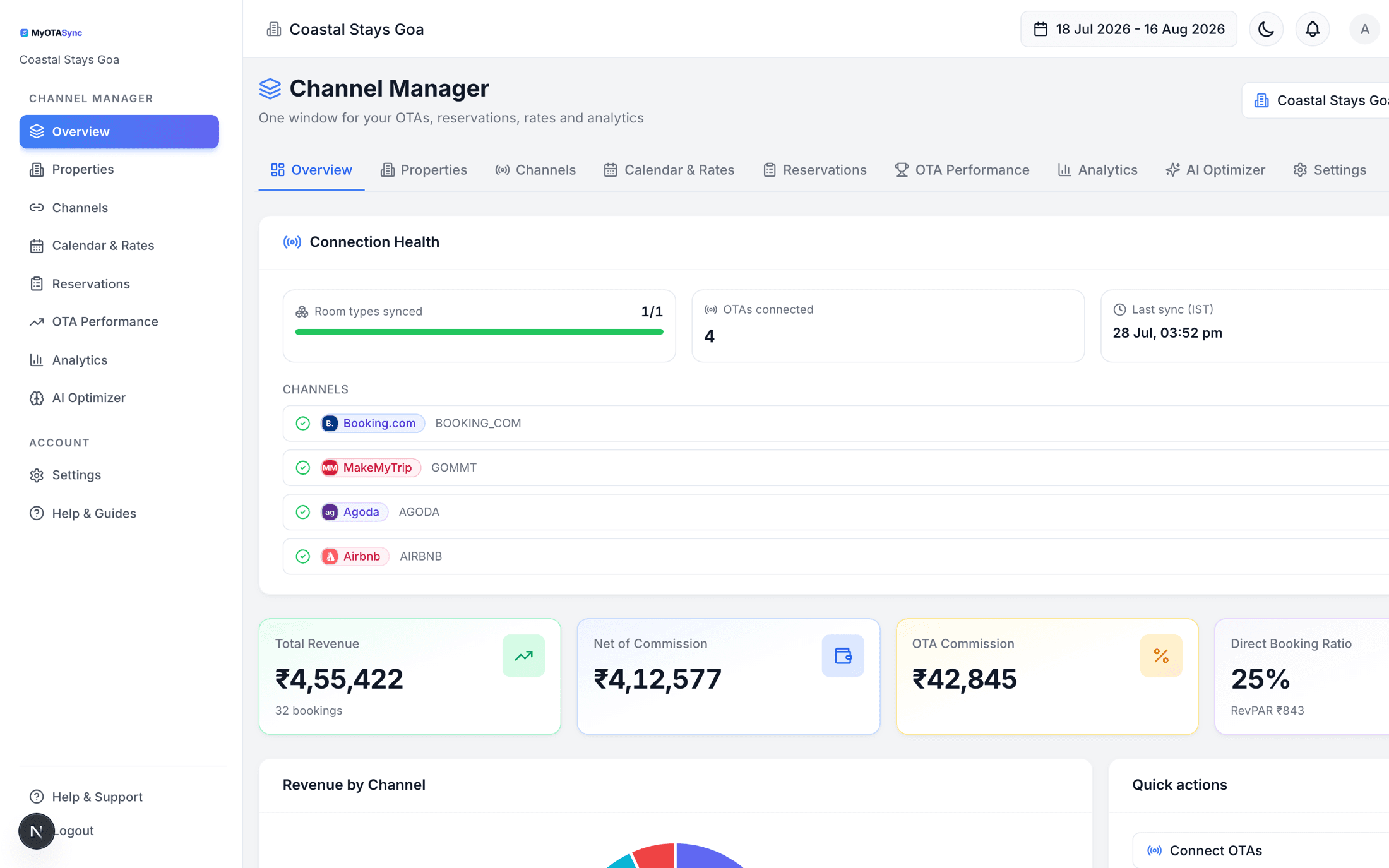
One dashboard replaces five extranet logins
Connection health, last sync, headline numbers and every booking in one place. The only time you open an OTA extranet again is to change content.
- Connection health per channel, with mapping status and last sync
- Sync activity you can audit — what was pushed, where, and when
- Every reservation in one feed, with commission and net per booking
- Weekly AI summary of what changed and what to do about it
In real time
What happens without you
These two loops are the whole product. Everything else is reporting on top of them.
A booking comes in on any channel
- 1The OTA sends us the reservation the moment it is made.
- 2The room comes out of the shared pool immediately.
- 3Reduced availability is pushed to every other connected channel.
- 4The booking appears in your one reservations feed, with commission and net already calculated.
You change a rate or close out a date
- 1You edit one cell — or bulk-update a whole range — in a single calendar.
- 2The new rate, minimum stay and stop-sell flags are pushed to every connected channel.
- 3Parity holds by construction, because there is only one number to push.
- 4The change shows in sync activity with a per-channel result you can audit.
Not listed yet?
Getting listed is the OTA's process — we just make it survivable
There is no API anywhere that creates an OTA listing. Signup, contract, verification, content and approval all happen on their side, over days to weeks. We track it as a checklist with links out, and take over the moment you go live.
The checklist we track for you
- 1Sign-up
- 2Contract
- 3Verification
- 4Content
- 5OTA review
- 6Approved · enable sale
- 7Listed
On go-MMT, “approved” and “sellable” are two different things — a Business Manager may still need to switch the listing on. We flag that state explicitly instead of letting you wonder why nothing is booking.
What every OTA asks you for
- Registered business name & address
- GST / PAN / tax identification
- Government ID and proof of property ownership or authorisation
- Bank account for OTA payouts
- 8+ high-resolution property & room photos
- Property description, amenities, policies & house rules
Get these together once and every subsequent listing takes a fraction of the time.
Channels you can be live on
FAQ
Questions about setup
How long until I am fully live on everything?
Most owners are live on their first channel the same day and fully live inside a week. The variable is not us — it is how fast each OTA accepts the connection and how quickly you can fetch the IDs from their extranet.
Do I need technical skills?
No. The connect wizard tells you which screen in the OTA's extranet to open and which field to copy. If you get stuck, we do the mapping call with you.
What if my rooms are named differently on each OTA?
That is the normal case, and it is exactly what mapping solves. You match each OTA's room type and rate plan to yours once; after that everything speaks your naming.
What happens the moment I activate?
We push a long forward window of rates and availability to the channel so it is immediately consistent, then keep it in sync from there — pushing changes and pulling reservations as they happen.
We will get you live, usually within the week
Tell us your channels. We map them, walk you through each authorisation, and stay on the call until your first sync goes green.
Free onboarding · no commission on your bookings · cancel any time